
Online Product Registration Frequently Asked Questions
Online Product Registration Frequently Asked Questions
Current ETA is 2-3 weeks. The registrations are reviewed by date received for both email and online submissions.
No. A label application form is not needed for online submissions. The analysis is optional and is covered by checking the product analysis certification when submitting the product request. If you have an independent analysis, it can be submitted.
First, locate the brand under “registered brands” and select “products.”

Then, click on “create new label.”
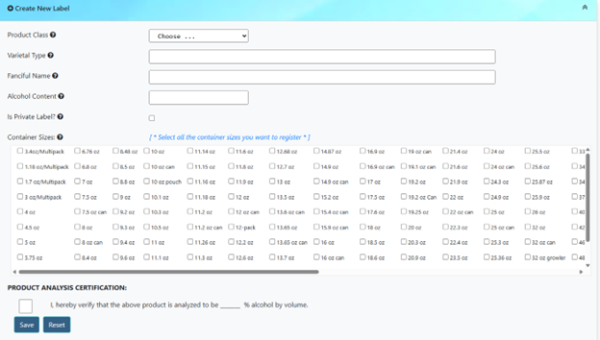
An email will be sent out when your product is approved.
Email submissions are still acceptable. They are recommended for brand transfers (brand is currently registered with another supplier).
Once you have submitted the brand extension or revision, go back to the home page and open the “pending approval/extension brands” box.
Click anywhere on the row for the brand you are working on.
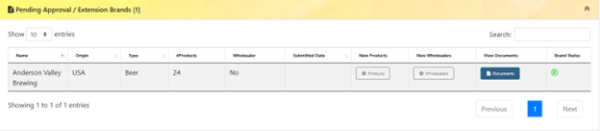
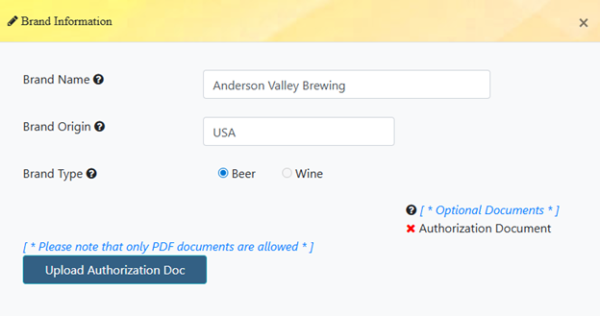
A box will come up, which will give you the option to upload it.
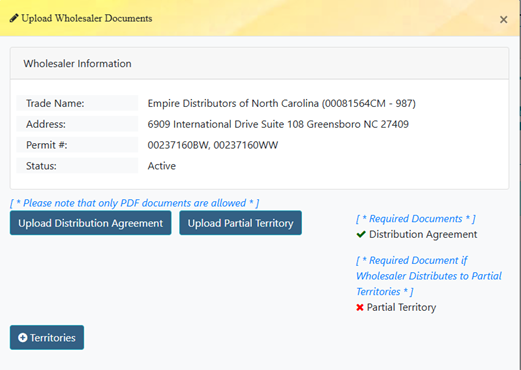
Under “Pending Wholesalers” go to the wholesaler you made the update for and click anywhere on the row.

A box will come up with the option to upload the Distribution Agreement and Partial Territories.
Locate the brand under “registered brands” and select “products.”
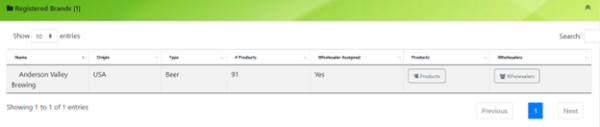
Locate the product you are submitting a revision for and click anywhere on the row.
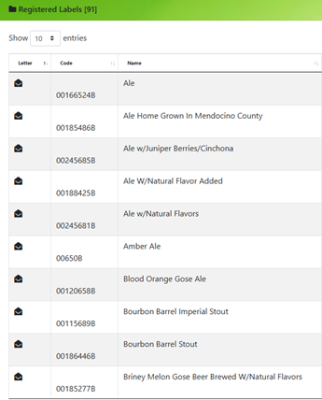
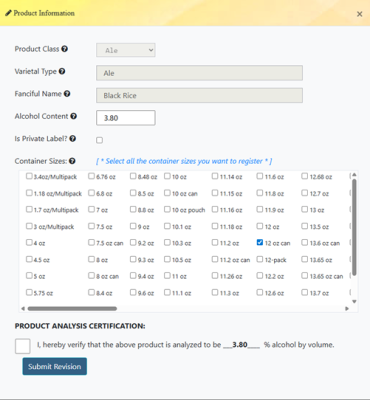
A box will pop up with the product information. You can update the ABV or add new sizes. If the revision is only for a graphic change or new COLA, you would just need to check the product analysis certification box and submit revision then upload the applicable documents.
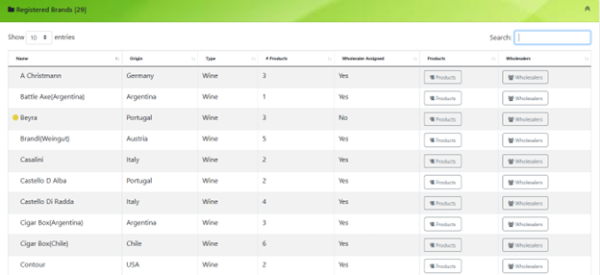
Locate the brand under “registered brands” and click “wholesalers.”
If you need to update the counties for the current wholesaler, go to “registered wholesaler” and select “modify counties.”

The counties will come up and you can add or remove them.
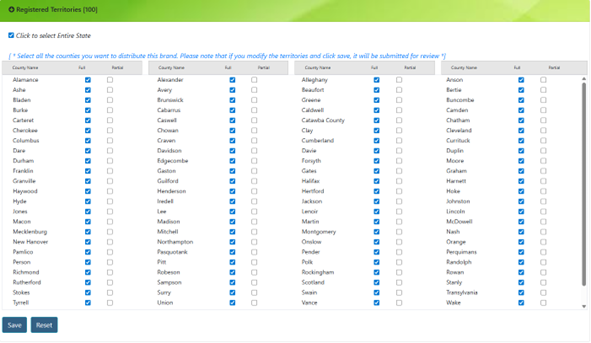
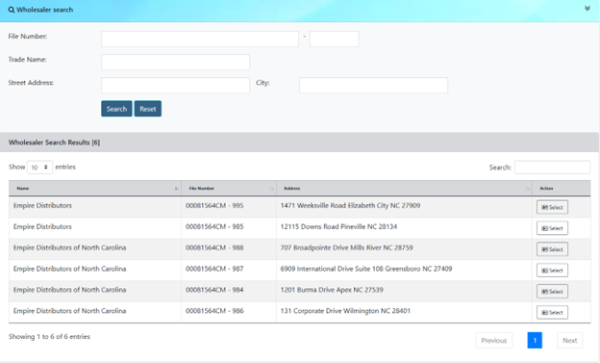
If you need to add a wholesaler, go to “wholesaler search” and look up the new wholesaler and select it. **Please note, if the counties are currently assigned to another wholesaler you will need to remove them first.**
If you want to remove the current wholesaler, go to “registered wholesalers” and select “unassign.”

Locate the brand under “registered brands” and select “products.”
Locate the product you are submitting a revision for and click anywhere on the row.
A box will pop up with the product information. You can update the ABV or add new sizes. If the revision is only for a graphic change or new COLA, you would just need to check the product analysis certification box and submit revision then upload the applicable documents.
No, only the applicable documents need to be submitted. See “Instructions Doc” for further information on the required documents.
No. The website is only for wholesale registrations.
Due to there being a different process for these, please continue to submit documents via email.
Private labels for retail permit holders are registered as their own brands. Submit a letter from the retailer authorizing you to use their name on the label and make the product for them and a distribution agreement form.
Yes, each location needs to be assigned along with its corresponding counties.
If the box for Products or Wholesalers is highlighted red it means the items were returned. You will have a message pending explaining what is needed under “Inbox – Messages.”
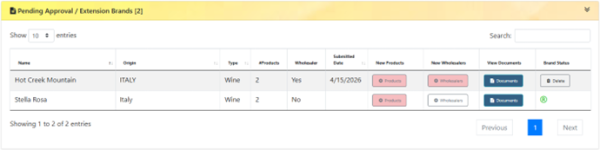
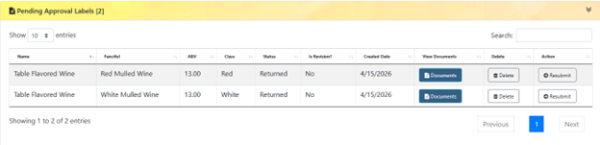
Click the highlighted box and it will take you to the pending product/s or wholesaler/s with that issue. You will need to click on the returned product or wholesaler under “Pending” to revise it by changing the information or uploading the missing documents. Once you have completed it select “Resubmit.”
For wine: The grape used to make the product if (it is named on the label) or the type of product (red, white, rose, etc.)
For beer: The class of product (beer, lager, stout, flavored malt beverage, porter, hard seltzer, pilsner, bock, ale.)
A third-party analysis. If you don’t have one, it is not required.